
Ask ten people on a project what the plan is and you will get ten answers — because on most projects the plan lives in ten places. The scope is in a proposal, the task list in a spreadsheet, the schedule in a Gantt nobody updates, the resource estimate in a costing sheet, and the real order of work in the site engineer's head. A Work Breakdown Structure is the discipline that puts all of that into one structure: it takes the whole deliverable and breaks it, level by level, into the tasks that build it — each one owned, dated, sequenced and costed.
This article is for the person who plans and runs projects — a project manager, works engineer or business owner in an engineer-to-order, fabrication, EPC or construction business. It explains what a WBS actually is, how it decomposes a deliverable, how dependencies turn it into a schedule, and how a good WBS becomes the backbone that scheduling, resourcing and costing all attach to. If you want the wider picture of the software category first, start with our pillar guide, What is project management software?, and come back here for the WBS in depth.
Everything else in project management — the Gantt schedule, the Bill of Resources and cost estimate, the milestone bill — reads from the WBS. Get the breakdown right and the rest follows; get it vague and nothing downstream can be trusted.
1. What is a Work Breakdown Structure?
A Work Breakdown Structure (WBS) is the hierarchical decomposition of a project into the tasks that deliver it. You start with the whole thing — the deliverable a customer is paying for — and break it down, level by level, until each piece at the bottom is a task: a unit of work small enough to give to one owner, estimate with confidence, schedule as a single bar and track to a clear "done".
The key idea is that a project is not a flat list of jobs. It is a tree. At the top sits the project; beneath it, the major phases or deliverables; beneath those, the tasks; and where useful, sub-tasks beneath those. Read top to bottom, the tree is the scope. Because the structure is hierarchical, each level rolls up: a task's progress and cost roll into its parent, and every parent rolls into the project — so a single project figure is always a true sum of the work underneath it, not a separate guess.
What makes it a working structure rather than an outline is that every task carries real attributes and real links:
- Every task has an owner — a task owner and an assigned user, so responsibility is never ambiguous
- Every task has dates and a budget — a start, a finish and a planned cost it can be measured against
- Every task has a progress percentage — so "how far along are we" is a number that rolls up, not an opinion
- Every task can depend on another — predecessor links record what must precede what, turning the list into a sequence
- Every task can carry its resources — a Bill of Resources that says what the task consumes and at what cost
Put those together and the WBS stops being a document you write once and forget. It becomes the live spine of the project, the thing the Gantt, the cost estimate and the bill all read from.
2. Why a flat task list fails on a real project
Most project businesses do not start with nothing. They start with a task list — a spreadsheet of jobs to do, maybe with an assignee and a due date. It feels adequate until the project is big enough, or slips enough, to expose it. The failure modes are consistent:
- No structure to roll up. A flat list has no parents, so there is no honest way to say a phase is 60% done or that a deliverable is over budget. You can tick items off, but you cannot see the project as a whole.
- No sequence. A list has an order you typed it in, not an order the work must run in. Nothing stops someone starting erection before fabrication is finished — because the list does not know one depends on the other.
- Nothing to cost against. A task with no resources behind it cannot be estimated. So the budget lives in a separate sheet that drifts away from the task list the moment either changes.
- Ownership evaporates. When a list has one assignee column and no hierarchy, a task that spans two people or two trades has nowhere clean to live, and accountability blurs.
- Change is chaos. When scope changes — as it always does on a one-off — a flat list has no place to slot the new work so that schedule and cost both update. It gets bolted on the end, and the plan quietly stops matching reality.
None of this fails loudly. That is what makes it dangerous: a spreadsheet never warns you that two tasks are out of order, that a phase is silently over budget, or that the change you agreed last week never made it into the schedule.
3. The decomposition levels — how a WBS breaks down
Decomposition is the heart of the WBS: you keep breaking work into smaller pieces until each piece is a task you can actually manage. The exact level names vary by industry, but the shape is consistent — each level is more detailed than the one above, and the lowest level is always tasks.
| # | Level | What it holds |
|---|---|---|
1 |
Project | The whole deliverable — the machine, plant, structure or order the customer is paying for. Carries the owner, customer, budget, dates and overall progress. |
2 |
Phase / deliverable | The major stages or the major things produced — design, procurement, fabrication, erection, commissioning; or assembly A, assembly B. Each groups the tasks beneath it and rolls their progress and cost up. |
3 |
Task | The unit of work you assign, schedule and cost — "cut and prepare plates", "weld frame", "install control panel". Each has an owner, dates, priority, budget, progress and a Bill of Resources. |
4 |
Sub-task | Where a task is still too big to track cleanly, it is split further — but only as far as is useful. Sub-tasks let a large task carry its own owners and progress without losing the parent's roll-up. |
The judgement call is how far to decompose. Break down too little and a "task" is really a whole phase you cannot schedule or cost. Break down too far and you spend more time updating tiny tasks than the visibility is worth. A good rule: stop when each lowest-level task is something you would happily hand to one person and review as done or not done. That is the level at which scheduling, resourcing and costing all become clean.
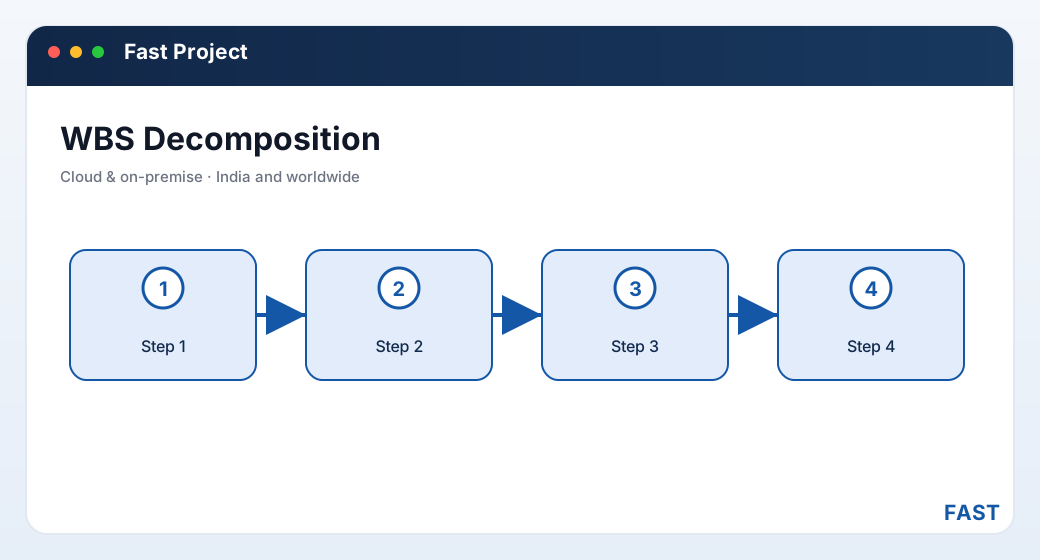
A WBS is a tree, not a line — the project decomposes into phases, phases into owned tasks, and a predecessor link records the order the work must run in.
4. What a WBS task actually carries
The difference between a WBS and an outline is in the task. A real WBS task is a small record with everything the project needs to schedule, resource, cost and track it. These are the attributes that matter — check any tool against them.
- A task owner accountable for the outcome
- An assigned user who does the work
- No task without someone responsible
- Planned start and finish dates
- Duration that becomes a Gantt bar
- Actual finish captured against plan
- A progress percentage that rolls up
- A status that moves the task through its life
- Priority so the important work is visible
- Material, labour and machine lines
- Quantity and rate on every line
- Rolls up into the task and project cost
- What this task must follow
- Drives the sequence on the Gantt
- Successors move when the task slips
- Dated log entries — a task history
- File attachments — drawings, approvals, photos
- An audit trail of who changed what
Notice how much of this only makes sense in a hierarchy. Roll-up needs parents; predecessor links need a shared structure; a per-task Bill of Resources needs a task worth costing. Strip the tree away and half of these attributes have nowhere to live — which is exactly why a flat list cannot carry them.
5. Tasks, deliverables and dependencies
Two distinctions trip people up when they first build a WBS: task versus deliverable, and how dependencies actually work. Both are worth getting straight.
Task vs deliverable
A deliverable is a thing the project produces — a design package, a fabricated assembly, a commissioned system. A task is work that helps produce it. Some teams build a deliverable-based WBS (the upper levels are the things being made, with tasks hung underneath); others build a phase or task-based WBS. Most real projects mix the two — but the lowest level is always tasks, because a task is what you actually assign, schedule and cost.
| Aspect | Deliverable | Task |
|---|---|---|
| Is a… | Thing the project produces | Unit of work that produces it |
| Example | Fabricated skid, design package | Cut plate, weld frame, run test |
| Sits at | Upper WBS levels (groups tasks) | Lowest WBS level (does the work) |
| Owns | A roll-up of its tasks' cost & progress | Its own owner, dates, BOR and progress |
| You schedule | By scheduling its tasks | Directly, as a Gantt bar |
How dependencies work
A predecessor dependency records that one task cannot start (or finish) until another does. Cutting before welding; welding before assembly; foundation before structure; installation before commissioning. Stored against the task itself, dependencies are what let the software sequence the whole project instead of leaving the order to memory. And because they are links, a slip propagates: move one task and its successors move with it, so the effect on the finish date is visible the moment it happens — not at hand-over. Dependencies are the single thing that turns a WBS from a checklist into a plan, and they are what the Gantt reads to build the schedule.
6. Who needs a WBS — and when a list stops being enough
Not every small job needs a formal WBS. These are the businesses and situations where breaking work down properly stops being optional:
| Business | Why a WBS becomes necessary |
|---|---|
| Engineer-to-order & custom manufacturers | Each bespoke order is a small project with its own design and tasks; without a WBS there is nothing to schedule, resource or cost the one-off against. See engineer-to-order project software. |
| Fabrication & job-work shops | Quoting, planning, resourcing and billing each fabrication job needs the job broken into cut, weld, assemble and test tasks that can be tracked and costed. See fabrication & job-work software. |
| EPC & engineering projects | Engineer-procure-construct work is naturally phased; a phase-based WBS mirrors how the project runs and how it bills. See EPC & engineering software. |
| Construction & real estate | Site projects need a WBS to track progress and support progress / RA billing against defined stages of work. See construction & real estate software. |
The practical trigger is usually one of three things: a project that overran and nobody could say which part; a customer who wants to be billed by milestone and needs each claim justified; or a growth stage where the number of concurrent projects outruns the memory of the one person who used to hold the plan in their head.
7. How a WBS drives scheduling, resourcing and costing
The payoff of a good WBS is that three separate disciplines all read from one structure — you build it once, and scheduling, resourcing and costing come almost for free.
- Each task's dates and duration become a bar on the Gantt
- Predecessor dependencies sequence the bars into a real plan
- When a task slips, successors move and the finish date updates itself
- Each task carries a Bill of Resources — material, labour and machine lines
- Resources are priced from a shared resource master, held once
- A resource-wise view shows where two tasks compete for the same crew or machine
- Each task's resource lines (quantity × rate) roll up to an estimated task cost
- Task costs roll up to a project cost, compared against budget before work starts
- As material is issued and work booked, the same structure tracks estimated-vs-actual
- Because bills are keyed to tasks, a milestone is simply a defined set of tasks
- Progress and RA bills read completed tasks and consumed resources
- Every claim traces back to the tasks and resources behind it
That is the whole argument for the WBS in one line: it is the structure that lets a project be scheduled, resourced, costed and billed from the same set of tasks — instead of from four spreadsheets that never agree.
8. How Fast Project Management builds a WBS
Fast Project Management Software is the project and ETO-execution product of the Fast Suite, built in Pune by Improsys under the Fast Technology brand and available cloud or on-premise. It implements the WBS with real, named screens — the same ones you would see in a demo:
| WBS capability | How Fast Project Management does it |
|---|---|
| Project header | Each project carries an owner, customer, type, budget, start/finish dates, actual budget and finish, and an overall progress percentage — and lives under Active / On-Hold / Completed / Inactive tabs. See Projects & Portfolio. |
| WBS tasks | Tasks are created under a project with their own owner, assigned user, priority, type, start/finish dates, budget, progress and status — the lowest level you schedule, resource and cost. See WBS, Tasks & Dependencies. |
| Dependencies | A task records its predecessor (parent) task within the project; those predecessor links define the WBS ordering and drive the sequence shown on the Gantt. |
| Task workspace | A tabbed task view brings together the task's details, its Bill of Resources, notes, file attachments and log in one place, so nothing about a task is scattered. |
| Logs & files | Each task keeps a dated activity log and stores uploaded files — drawings, approvals, site photos — on top of the platform-wide audit trail of who changed what. |
| Per-task BOR | Every task gets a header → process → resource Bill of Resources — material, labour and machine lines with quantity and rate — that feeds cost estimation. See Bill of Resources & Costing. |
| Schedule & roll-up | The Gantt Chart view lays every task bar out by its dates and duration and sequences by dependency, while task progress and cost roll up into the project position. See Gantt Scheduling. |
Build the WBS once. Schedule, resource, cost and bill from the same tasks.
Fast Project Management runs the project layer — project master, WBS tasks and dependencies, the Gantt, per-task Bill of Resources, cost estimation and project, milestone and subcontractor billing. Because it shares one platform and one set of masters with the rest of the Fast Suite, a task's resources are priced from the same resource master Fast Production uses, and material is issued against a task through the same store engine Fast Inventory keeps — with nothing re-entered.
9. Frequently asked questions
See a WBS built on your own project
A 30-minute demo — your project broken into tasks, sequenced on the Gantt, resourced and costed, live on screen. Cloud or on-premise.