
On a repeating product you can lean on a standard recipe: the same Bill of Materials, the same routing, the same cost. A project has no such luxury. Every one-off deliverable has to be costed from scratch — and the businesses that stay profitable are the ones that cost each task deliberately, with the people and machines it needs priced alongside the material, before the work starts. The tool for that is the Bill of Resources, and the discipline it enables is the difference between a quote that holds and a project that quietly eats its own margin.
This article is for the person who quotes and controls project cost — an estimator, project manager or business owner in an engineer-to-order, fabrication, EPC or construction business. It explains what a Bill of Resources is, how it differs from a Bill of Materials, how its priced lines roll up into a project cost estimate, and how estimated cost is compared against budget and against actual. If you have not yet broken your project into tasks, start with What is a Work Breakdown Structure? — a BOR is built per task. For the wider picture, see the pillar guide, What is project management software?
Because every line on a Bill of Resources carries a rate, the document that plans what a task needs is also the document that costs it. That is why the BOR — not a separate spreadsheet — is where project cost control begins: get the resources and rates right, and the estimate, the budget check and the eventual bill all read from the same place.
1. What a Bill of Resources actually is
A Bill of Resources (BOR) is the plan of everything a task will consume to be completed — its material, labour, machine and tool lines, each with a quantity and a rate. It is authored per task within a project, and because every line is priced, it does two jobs at once: it tells you what the task needs, and it tells you what that will cost.
The word "resources" is deliberate and broad. A task on a fabrication or EPC project does not just consume steel — it consumes a welder's hours, a machine's running time, a crane's day. A BOR captures all of it in one structure, so the cost of a task reflects the reality of doing the work, not just the reality of buying the material. That breadth is what makes the BOR the natural costing unit on a project, where labour and equipment are often a larger share of the cost than the material itself.
Three things make a BOR a working document rather than a rough estimate:
- It is per task. Each WBS task carries its own BOR, so cost is built bottom-up from real work, not guessed top-down from a lump sum.
- Every line is priced. Quantity × rate on every material, labour and machine line means the BOR is a cost the moment it is complete.
- The rates are shared. Prices come from a resource master, so the same crew or machine costs the same on every project, and a rate change flows everywhere at once.
2. BOR vs BOM — takes-to-make vs made-of
The Bill of Resources is easy to confuse with the Bill of Materials, and the distinction is worth getting exactly right because they answer different questions.
| Aspect | Bill of Resources (BOR) | Bill of Materials (BOM) |
|---|---|---|
| Answers | What will it take to complete this work? | What is the product made of? |
| Contains | Material, labour, machine & tool lines | Child materials and quantity-per |
| Includes people & machines? | Yes — crews, machine time, tools | No — material only |
| Priced from | A resource master (rates per resource) | Item / material master (material cost) |
| Drives | Resourcing and project cost estimation | Material requisition and issue |
| Natural unit on a… | Project / task (one-off work) | Product (repeating manufacture) |
A neat way to hold the difference: a BOM is made-of, a BOR is takes-to-make. On a repeating product, a BOM plus a routing is enough. On a project, the BOR is the broader and more useful structure, because it prices the whole effort — material and the hands and machines that turn it into the deliverable. A project can still draw material from the shared item master; the BOR simply wraps that material together with the labour and machine lines the task also needs.
3. The three-level BOR structure
A task's Bill of Resources is not a flat list — it is a small three-level structure that mirrors how the work is actually organised. Understanding the levels makes the cost roll-up obvious.
| # | Level | What it holds |
|---|---|---|
1 |
Header | The task's overall quantity and unit — how much of this task is being done. Everything below is scaled and rolled up to this. |
2 |
Process | The operations or parameters within the task — the steps the resources are consumed against, so cost can be seen by operation, not just as one lump. |
3 |
Resource lines | The actual material, labour and machine lines — each with a resource group, a quantity per parent and a rate. This is where the cost lives. |
The resource lines are the heart of it. Each is a real, priced item: a resource group (material, labour or machine), a resource code drawn from the master, a quantity per parent, a unit and a rate. Because the lines sit in a hierarchy under the process and header, a task's cost is a clean roll-up — sum the resource lines, and you have the task cost; there is no separate cost sheet to reconcile.
4. Rates and the resource master
A BOR is only as trustworthy as the rates on its lines, and the discipline that keeps rates trustworthy is holding them in one place — a resource master. Every machine, labour category and tool is defined once, with its rate, working hours per day, efficiency and unit, and every BOR line draws its rate from there rather than having a number typed in by hand.
- Items drawn from the shared item master
- Quantity per task and a unit rate
- The steel, plate, consumables a task uses
- Crews and trades the task needs
- Priced by rate and effort/hours
- Welders, fitters, site crews
- Equipment committed to the task
- Rate, working hours and efficiency held once
- CNC time, cranes, welding sets
- Resources grouped, categorised and typed
- One consistent basis for costing
- A rate change flows everywhere at once
Holding rates in a master rather than in each estimate is what keeps project costs comparable. When the same welding crew is priced three different ways on three different jobs, the numbers stop meaning anything; when it is priced once from the master, every estimate is built on the same foundation and a rate revision updates every project that uses it. See Resource Management.
5. Cost estimation — roll-up vs budget
With priced resource lines in place, cost estimation is arithmetic the software does for you. Each line's quantity is multiplied by its rate to give a line cost; the lines sum to an estimated task cost; and the tasks sum to an estimated project cost. That single number — built bottom-up from real resources — is then set against the project budget.
The value is in the timing. Because the estimate exists before work starts, an over-budget project is visible at the planning stage, when you can still re-scope, re-negotiate or re-plan — not at hand-over, when the loss is already booked. And because the whole roll-up reads from the resource master, changing a rate or a quantity re-flows the entire estimate instantly, so "what if the plate price rises" is a question you can answer on screen rather than by rebuilding a spreadsheet.
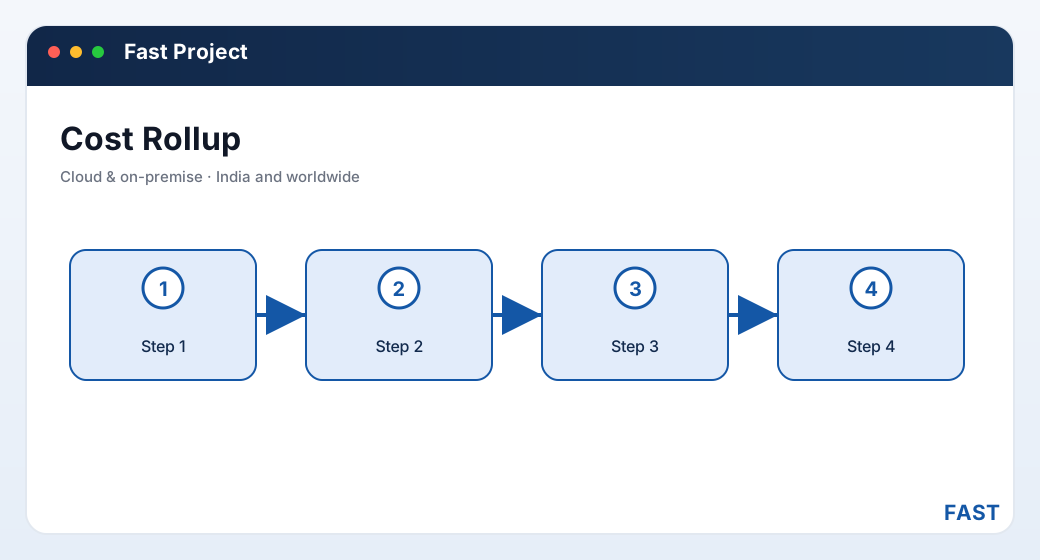
Cost estimation is a roll-up: priced resource lines sum to task costs, task costs sum to the project estimate, and the estimate is checked against budget before work starts.
6. Estimated vs actual
The estimate is what the BOR planned. The actual is what the project really consumed — and the two only agree if you capture the actual as it happens. As material is issued from the store against a task, and labour and machine time are booked, the actual cost builds up alongside the estimate on the same tasks.
Estimated-versus-actual is the comparison that turns costing from a one-time quote into live control. Because the project header holds both a budget and an actual budget — and both a planned finish and an actual finish — a project business can see cost variance and schedule variance against plan on one record. An overrun on a task shows up while the project is still running, when something can be done, instead of surfacing in a post-mortem after the money is gone.
- Priced resource lines rolled up per task
- Summed to a project estimate
- Checked against budget before work starts
- Re-flows instantly when a rate changes
- Material issued against the task
- Labour and machine time booked
- Builds up on the same tasks as the estimate
- Variance visible while the project runs
7. A worked example — costing one task
To make the roll-up concrete, here is a single task — "weld and assemble a frame" — costed as a small Bill of Resources. All numbers below are illustrative, chosen only to show how quantity, rate and roll-up work — not drawn from any real project or price list.
| Resource line | Qty | Rate | Line cost (illustrative) |
|---|---|---|---|
| Steel plate (material) | 200 kg | ₹80 / kg | ₹16,000 |
| Welding consumables (material) | 1 lot | ₹3,000 | ₹3,000 |
| Welder (labour) | 40 hrs | ₹250 / hr | ₹10,000 |
| Fitter (labour) | 24 hrs | ₹200 / hr | ₹4,800 |
| Welding machine (machine) | 40 hrs | ₹60 / hr | ₹2,400 |
| Estimated task cost | ₹36,200 |
Two things are worth noticing. First, labour and machine together (₹17,200 illustrative) rival the material (₹19,000 illustrative) — which is exactly why a material-only BOM would understate this task's cost badly. Second, the total is a clean roll-up: raise the plate rate, or add welder hours, and the task cost updates without touching a separate sheet. Roll several such tasks together and you have the project estimate that gets checked against budget.
Every rate and quantity above is invented to demonstrate the mechanics — no real plate price, wage or machine rate is being quoted, and no saving is implied. In a demo we build the same BOR on your tasks with your rates from your resource master, so what you see is your cost, not ours.
8. How Fast Project Management implements BOR and costing
Fast Project Management Software is the project and ETO-execution product of the Fast Suite, built in Pune by Improsys under the Fast Technology brand and available cloud or on-premise. It implements the Bill of Resources and costing with real, named screens:
| Capability | How Fast Project Management does it |
|---|---|
| Per-task BOR | Each task carries a header → process → resource Bill of Resources: a header for the task quantity and unit, the processes within it, and material, labour and machine resource lines with quantity per parent, unit and rate. See Bill of Resources & Costing. |
| Resource master | Machines, labour and tools are held once with a rate, working hours, efficiency and unit, grouped and categorised — the priced catalogue every BOR line draws from. See Resource Management. |
| Cost estimation | The task BOR resource lines (quantity × rate) roll up to an estimated task and project cost, comparable against the project budget before and during execution. |
| BOR cost analysis | A cost breakdown by resource within the BOR shows where a task's cost sits — material versus labour versus machine — so an estimate can be interrogated, not just totalled. |
| Estimated vs actual | The project and task headers hold both budget and actual budget; material issued against tasks and resource consumption turn the planned BOR into actual cost, so variance is visible live. See Projects & Portfolio. |
| Feeds billing | Because bills are resource-itemised and keyed to tasks, the same BOR structure that costs a project also underpins billing it by project, resource or milestone. See Project & Milestone Billing. |
Cost each task from the resource master. Compare estimate to budget, then to actual.
Fast Project Management runs the whole costing chain — a per-task Bill of Resources priced from a shared resource master, cost estimation that rolls up against budget, and estimated-versus-actual as material is issued and resource consumed. Because it shares one platform with the rest of the Fast Suite, material for a task is issued through the same store engine Fast Inventory keeps, and the resulting bill posts alongside Fast Billing — with nothing re-entered, cloud or on-premise.
9. Frequently asked questions
Cost your own project, task by task
A 30-minute demo — your tasks, your resources and your rates rolled up into an estimate and checked against budget. Cloud or on-premise.